Manage your
Cloudflare R2
object storage
A native storage manager for Cloudflare R2 and S3-compatible services, on Mac, iPhone and iPad. Browse buckets, upload files, and preview objects — all from a fast, beautiful interface.
- Native Swift — no Electron, no web views
- No telemetry, ever
- Requires macOS 26 or iOS 26 or later
Everything you need to manage R2 storage
A complete toolkit for browsing, uploading, and managing your Cloudflare R2, S3-compatible, and local wrangler dev object storage.
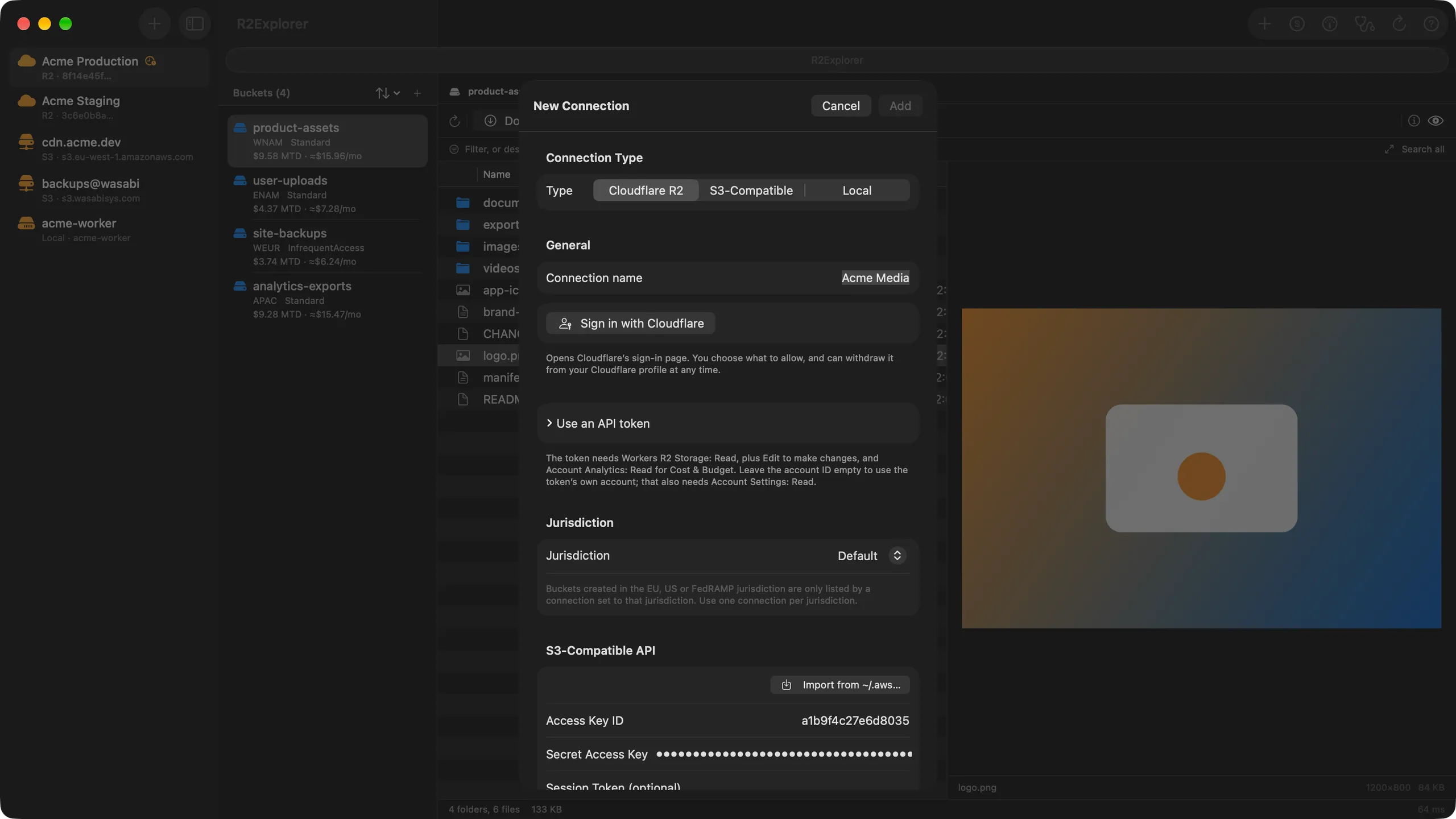
R2 & S3 Support
Connect to Cloudflare R2 or any S3-compatible service. Manage multiple connections with different credentials from one app, or import one straight from an ~/.aws profile — including profiles that sign in through AWS IAM Identity Center.
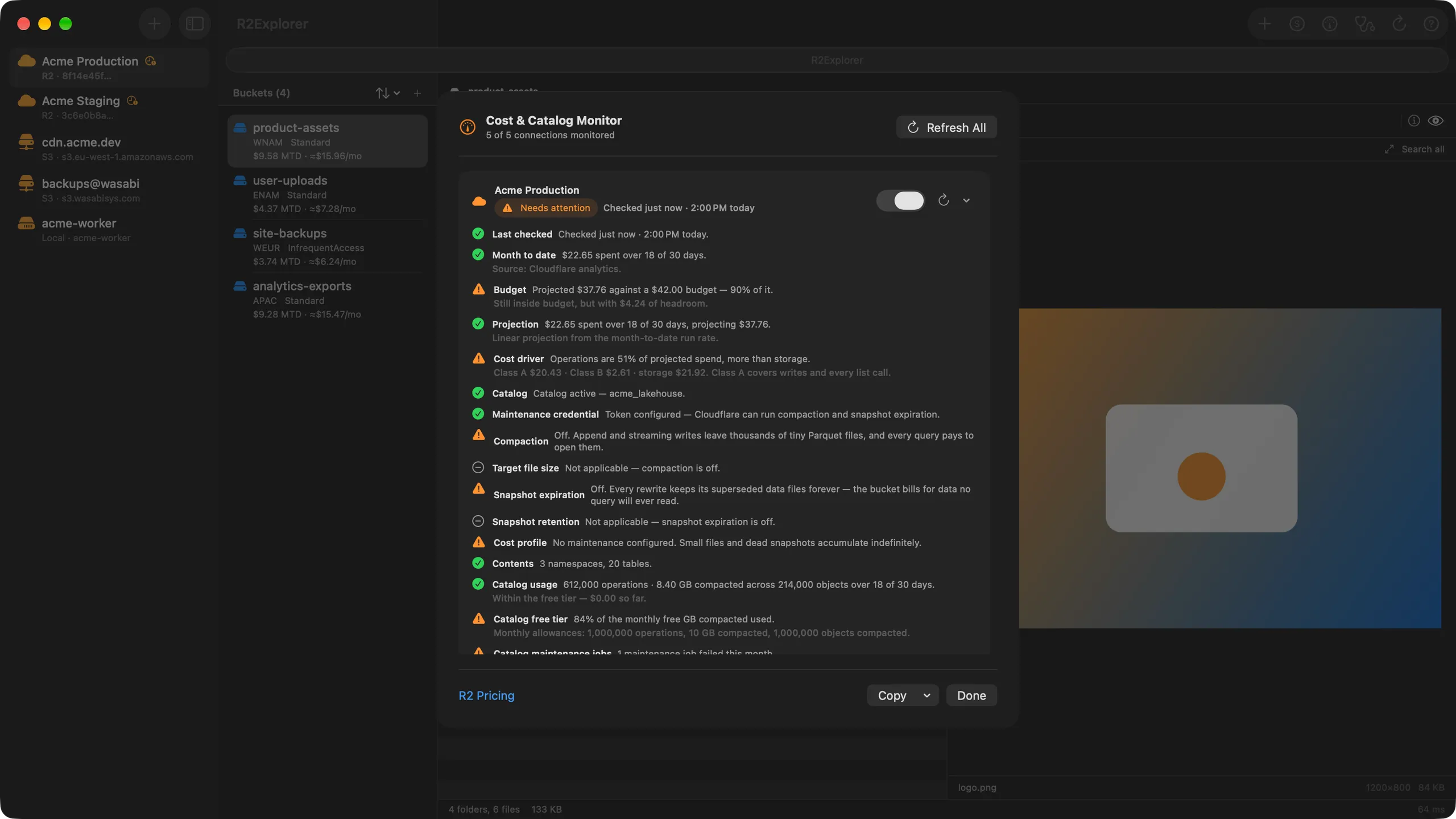
Cost & Budget
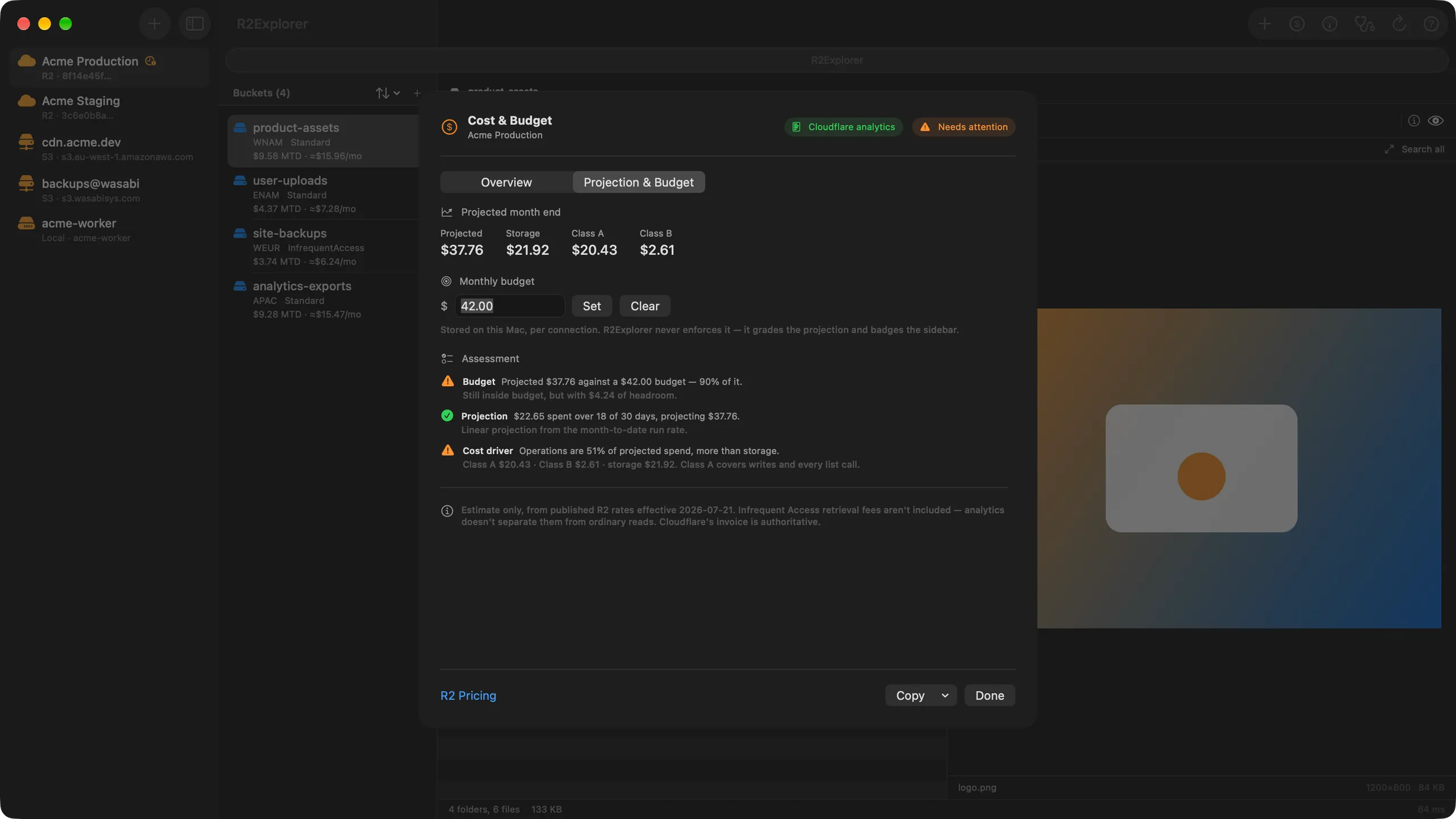
See what every bucket has cost you this month, read from your own Cloudflare analytics — free. Pro projects where the month will land and badges the connection before that projection passes the budget you set.
Move to R2
Migrate an existing Amazon S3, Google Cloud Storage, Azure Blob, or S3-compatible bucket with Cloudflare's Sippy. Objects copy across the first time something requests them, so there is no bulk copy to schedule and no cutover window — and R2Explorer tells you up front when Super Slurper is the better tool instead.
Data Catalog Billing
Cloudflare started billing Data Catalog operations and compaction on 3 August 2026. The Monitor now reads both, shows how much of the monthly free allowance is left, and projects the overage — and it reports failed compaction jobs for free, because a table whose maintenance keeps failing is a problem whether or not you have Pro.
Smart Filter
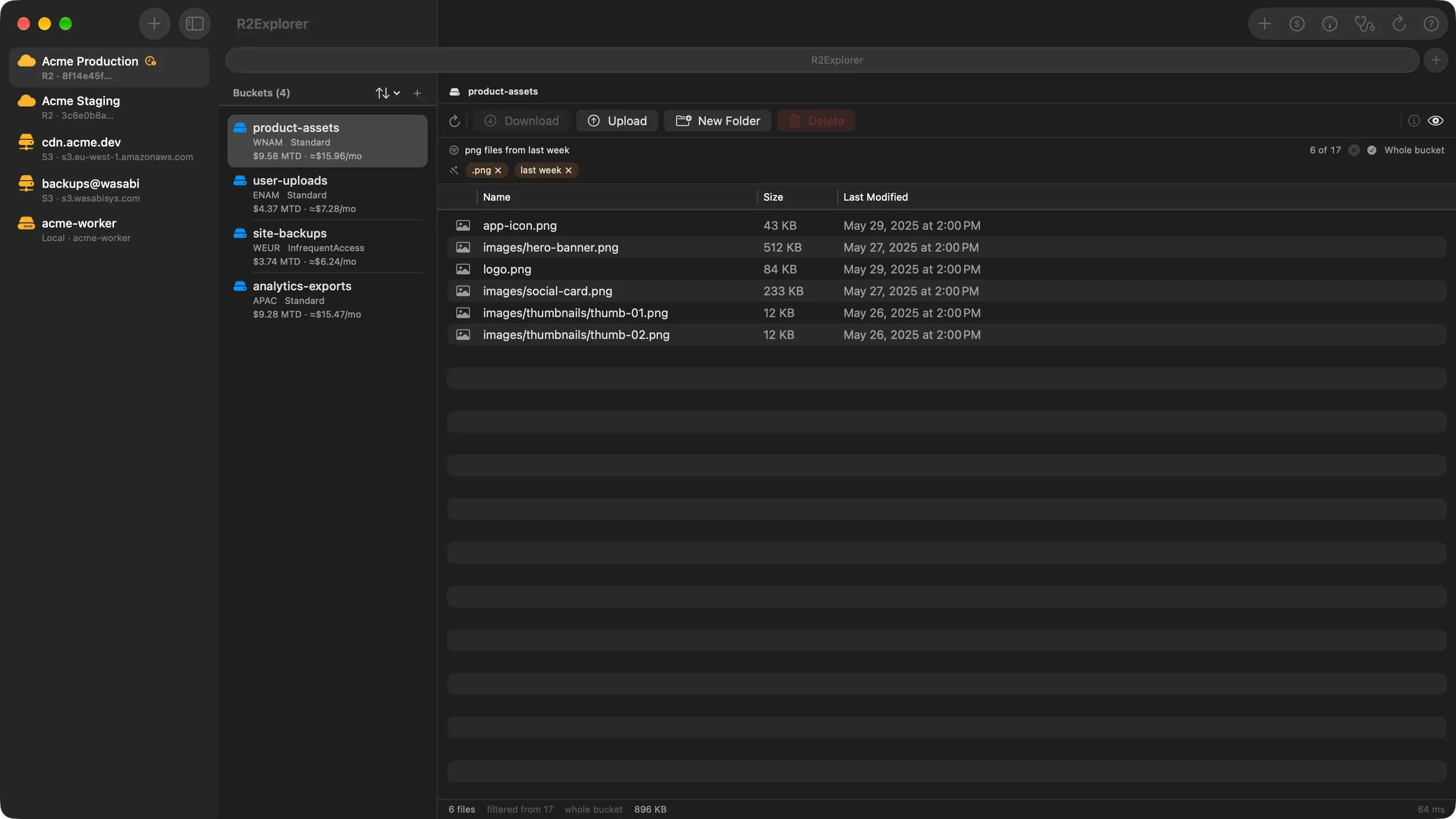
Narrow a listing as you type, anywhere, on any Mac. Turn on Smart Filter and you can describe what you want instead — “big json files from last week” — and Apple Intelligence turns the phrase into conditions you can read and remove one by one. It runs on your Mac: the phrase never leaves it, and your object names and file contents are never part of it.
Cost & Catalog Monitor
One sweep across every connection you switch Monitor on for, showing month-to-date spend and Data Catalog state side by side. Nothing refreshes on a timer, and every reading is stamped with when it was taken — so an aged figure is marked stale instead of passing as current.
Connection Doctor
A per-connection diagnostic that does more than name a problem. Each check points at the exact Cloudflare page or setting that fixes it — across your API token, S3 keys, Data Catalog, analytics, endpoint, and iCloud sync. Every probe is a read, run live and never stored.
R2 SQL Queries
Go from "what is in this bucket?" to "what can I query?". Pick a namespace and table from what your catalog actually reported, and R2Explorer generates ready-to-run R2 SQL — SHOW TABLES, DESCRIBE, a sampled SELECT, and its EXPLAIN plan.
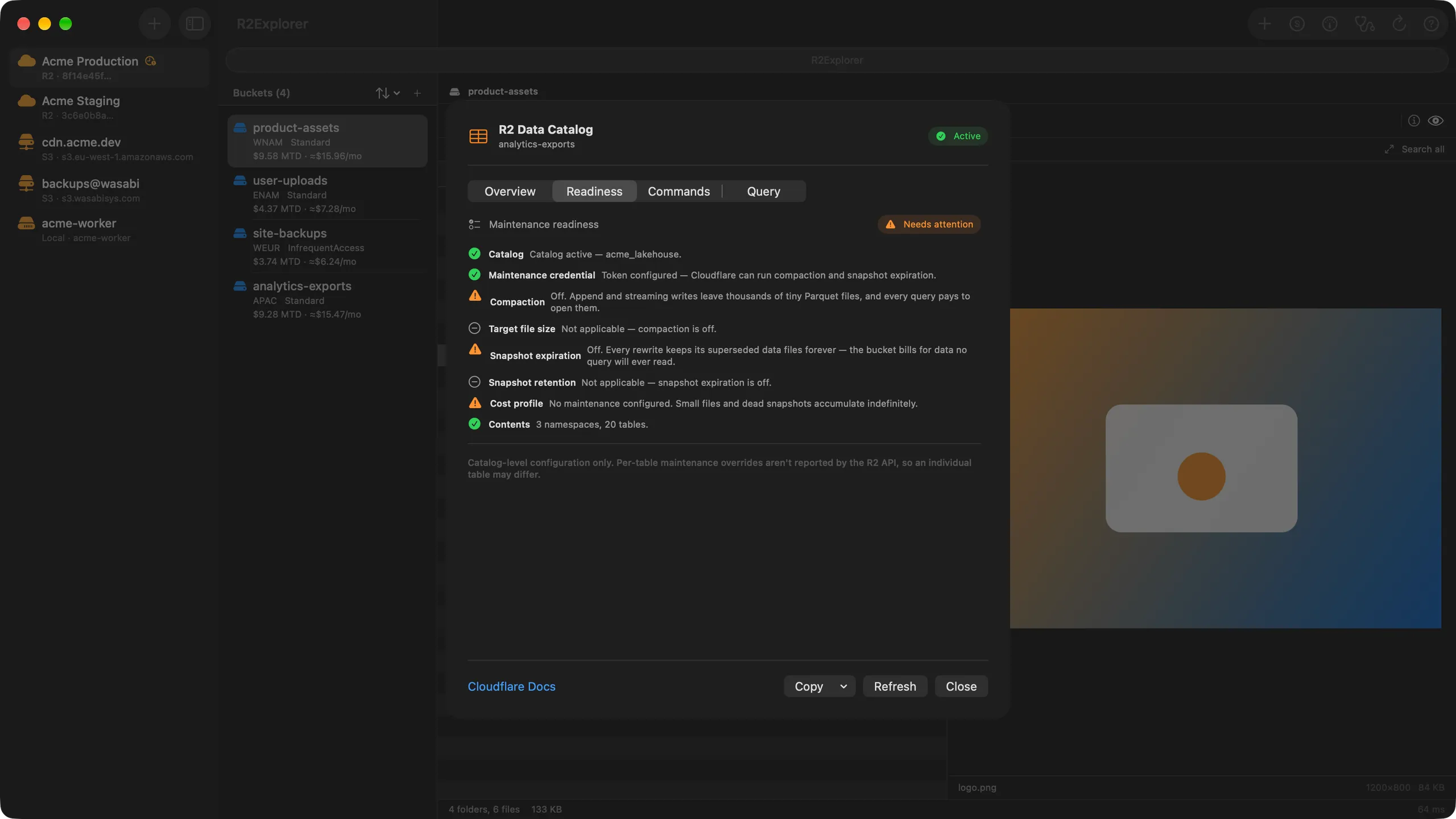
R2 Data Catalog
Browse Iceberg namespaces and tables right beside your objects, free. Pro grades your catalog against the maintenance Cloudflare expects and generates the exact wrangler commands to close each gap — starting with the one that catches people out: compaction with no snapshot expiration.
Data Catalog Safety Guard
A manual delete, upload, rename, or sync into a catalog-backed bucket can leave your Iceberg tables pointing at files that no longer exist. R2Explorer warns you first — on deletes, uploads, renames, Empty Bucket, and mirror/sync alike. Advisory, never a hard block, and free for everyone.
Local wrangler dev
Point the app at a local Wrangler project and browse or edit its R2 buckets straight from disk — no deploy, no network. Reads and writes Miniflare’s on-disk format, so changes show up in wrangler dev.
Object Browser
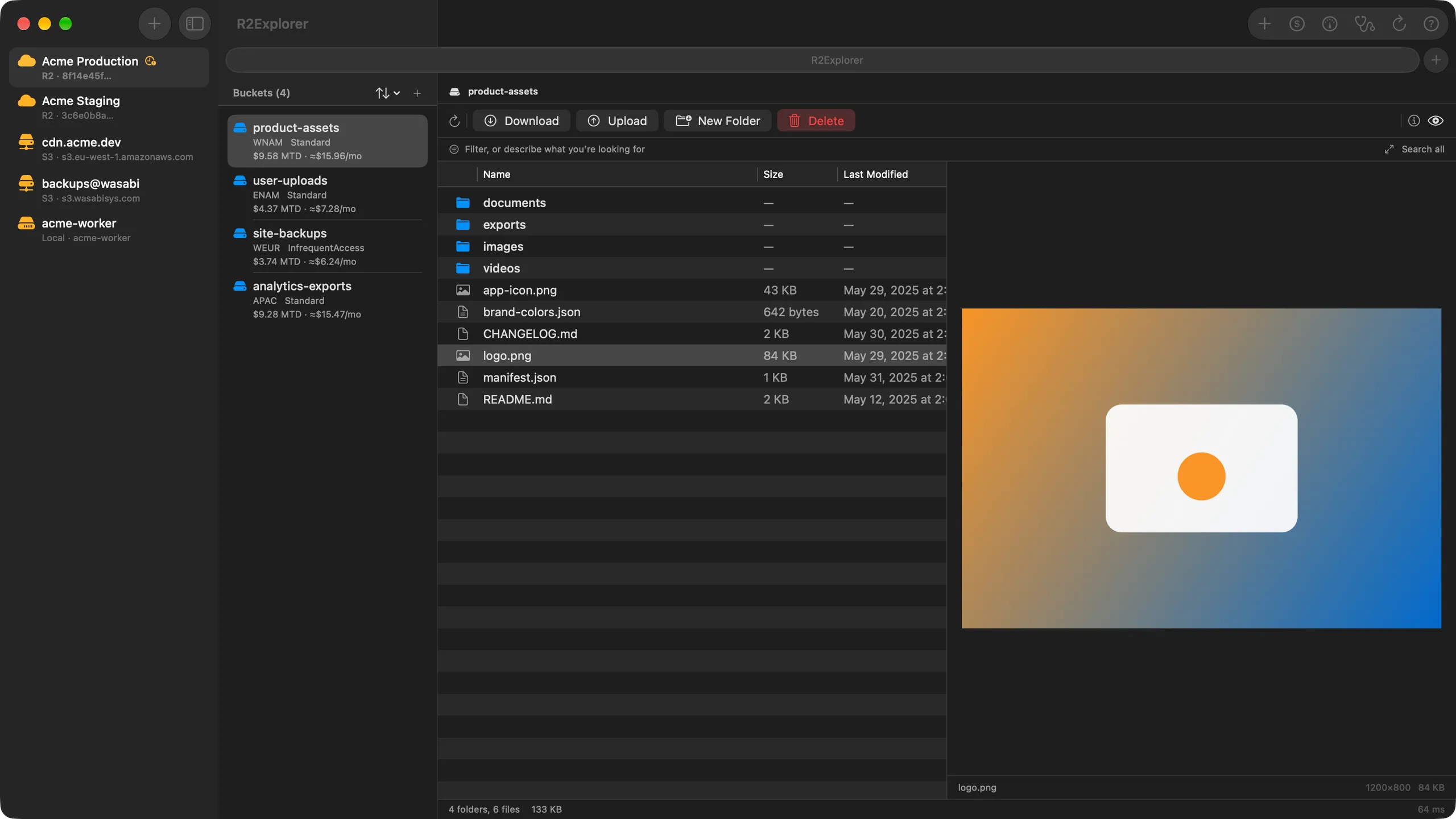
Navigate buckets and objects with hierarchical folder views and breadcrumbs. Sort, search, and multi-select with ease.
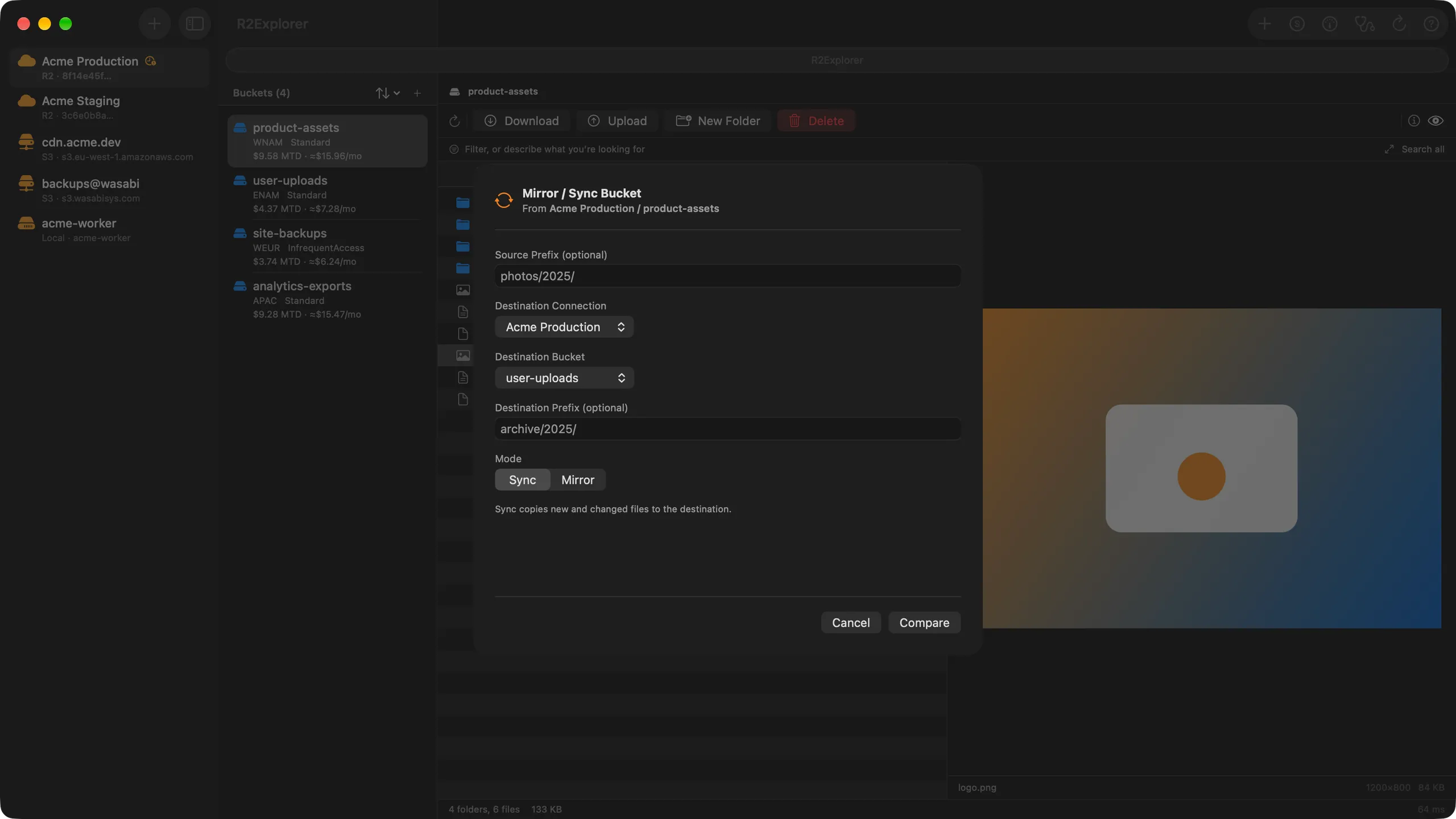
Bucket Mirror & Sync
Copy files between any two connections with live byte-level progress and reliable cancel. Mirror buckets across providers in a single click.
Upload & Download
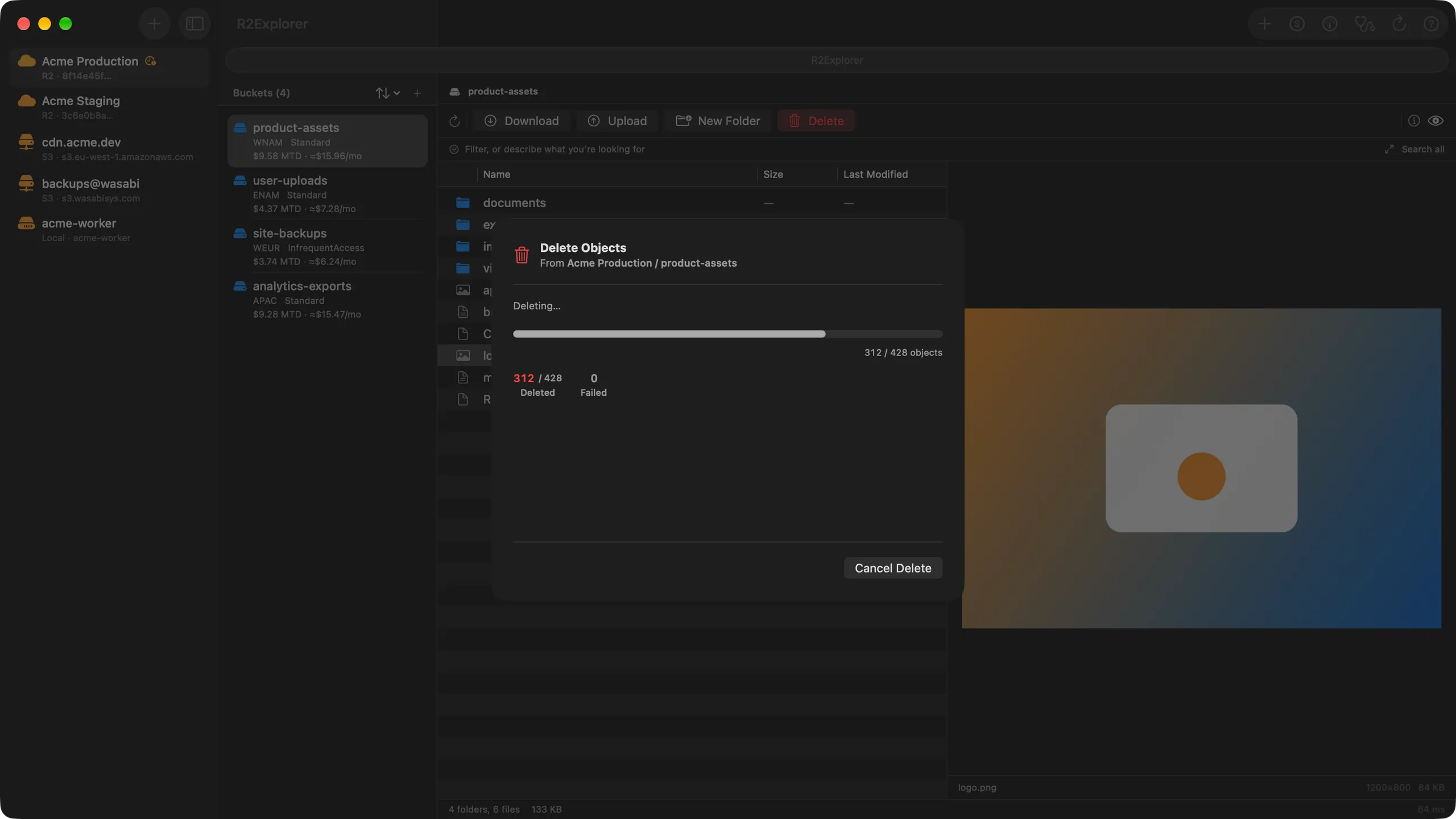
Drag-and-drop files to upload with automatic multipart for large files. Download single objects, bulk selections, or entire folders.
File Preview
Preview images, JSON, XML, YAML, and source code right in the app. Inspect HTTP headers and object metadata at a glance.
Secure by Default
Credentials stored in the Keychain — never in plain text. Optional iCloud sync keeps your connections and credentials across your Mac, iPhone and iPad, with separate toggles for each. Full App Sandbox support.
See it in action
A clean interface designed for fast object storage management.
Why R2Explorer?
Built for developers who care about performance, security, and great tooling.
Native Performance
Built with SwiftUI and AppKit from the ground up. No Electron, no web views — just a fast, responsive app that feels right at home on your Mac, iPhone and iPad.
Security First
API tokens and access keys stored in the Keychain — never in plain text. iCloud Keychain sync available to keep credentials across all your devices. Full App Sandbox compliance.
Developer Experience
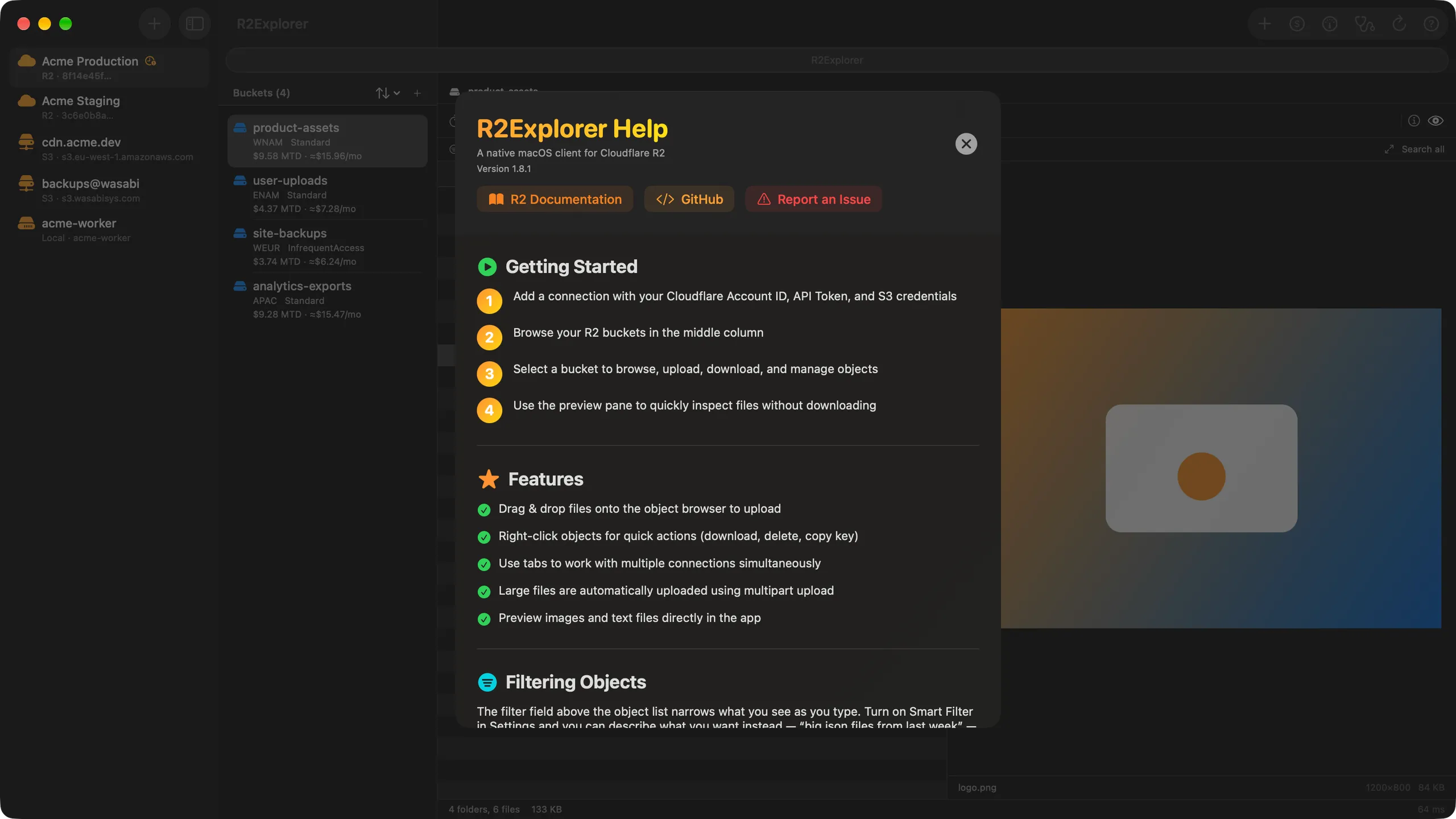
Window tabbing with Cmd+T, keyboard shortcuts, drag-and-drop uploads, bulk operations, and context menus throughout. Every detail designed for developer productivity.
More from Magenta Creations
Same native approach, a different corner of your Cloudflare stack.


Free to download. $5.99 to unlock everything.
Try R2Explorer with your own buckets, read-only — no account, no trial timer. Unlock Pro when you're ready to upload and manage.
$5.99 for every 1.x release, $19.99 from 2.0. Buy once at today's price and every future update stays included.
Free
$0Connect and read, with no time limit. Everything you need to validate R2Explorer against your own buckets before paying.
- Browse buckets and list objects
- Navigate with hierarchical folder views
- Preview images, JSON, XML, YAML, and source code
- Download single objects, bulk selections, or folders
- Inspect HTTP headers and object metadata
- Inspect your R2 Data Catalog — status, Iceberg namespaces, and tables
- See this month's R2 spend, broken down per bucket
- Test a connection and see one result per credential plane
- See Data Catalog usage against the monthly free tier, and any failed compaction jobs
- Check whether Sippy or Super Slurper is the right way to migrate a bucket
- Connect unlimited R2, S3-compatible, and local wrangler dev projects
R2Explorer Pro
$5.99 one-timeEverything in Free, plus every write-path feature. Pay once — no subscription, unlocks permanently across every Mac signed into your Apple ID.
- Upload files with drag-and-drop and multipart support
- Delete single objects, folders, and bulk batches
- Rename files and folders safely (copy-then-delete)
- Create and delete buckets, or empty one without deleting it
- Mirror and sync between buckets across providers
- Benchmark throughput and export results as Markdown, CSV, or TSV
- Data Catalog Maintenance Workbench — grade your catalog and generate the wrangler commands to fix it
- Cost projection — project month-end spend per bucket and grade it against your budget
- Data Catalog cost projection — see the catalog overage coming before it bills
- Move to R2 — configure and enable Sippy migration without leaving the app
- R2 SQL queries — generate queries against your Data Catalog tables
Already bought R2Explorer before the free tier launched? Your Pro unlock carries over automatically — no second payment, no restore required.
Ready to manage your
R2 storage?
Download R2Explorer and start managing your Cloudflare R2 and S3-compatible storage in seconds.
Available on the App Store for Mac, iPhone and iPad · Free to download · Pro unlock $5.99 for every 1.x release
Requires macOS 26 (Tahoe), iOS 26 or iPadOS 26 or later